FondFontPress kit.
Install your TTF, OTF and TTC files in the iOS font library. Import ZIP collections, finish installation in Settings and use your fonts in compatible apps such as Pages and Keynote.

- Platform
- iPhone · iPad
- Availability
- Available on the App Store
- Official links
Deutsch
FondFont
Installiere deine TTF-, OTF- und TTC-Dateien in der iOS-Schriftbibliothek. Importiere ZIP-Sammlungen, schließe die Installation in Einstellungen ab und nutze die Schriften in kompatiblen Apps wie Pages und Keynote.
Prüfe deinen Text in verschiedenen Schriftgrößen. Prüfe Zeichenabdeckung, Schriftfamilie, Stil und Lizenzinformationen. Vergleiche Schriften mit demselben Beispieltext. Öffne deine TTF-, OTF-, TTC- oder ZIP-Dateien vom gewohnten Speicherort. FondFont erstellt ein Profil auf deinem Gerät. Erlaube den Download und schließe die Installation in den Einstellungen ab. Wähle deine installierten Schriften in kompatiblen Apps wie Pages, Keynote, Word und PowerPoint. FondFont erstellt Profile auf deinem Gerät. Deine Schriftdateien bleiben auf deinem Gerät. Du brauchst kein Konto und kein Abo. FondFont installiert Schriften für kompatible Apps. Es ändert keine Schriften des iOS-Systems, der Tastatur oder des Home-Bildschirms. Es kann anderen Apps keine Unterstützung für eigene Schriften hinzufügen.
App-Symbol
↓ PNG1024 × 1024 · icon.png
Originales App-Symbol, 1024 × 1024 PNG. Grafik, Proportionen und Transparenz unverändert.
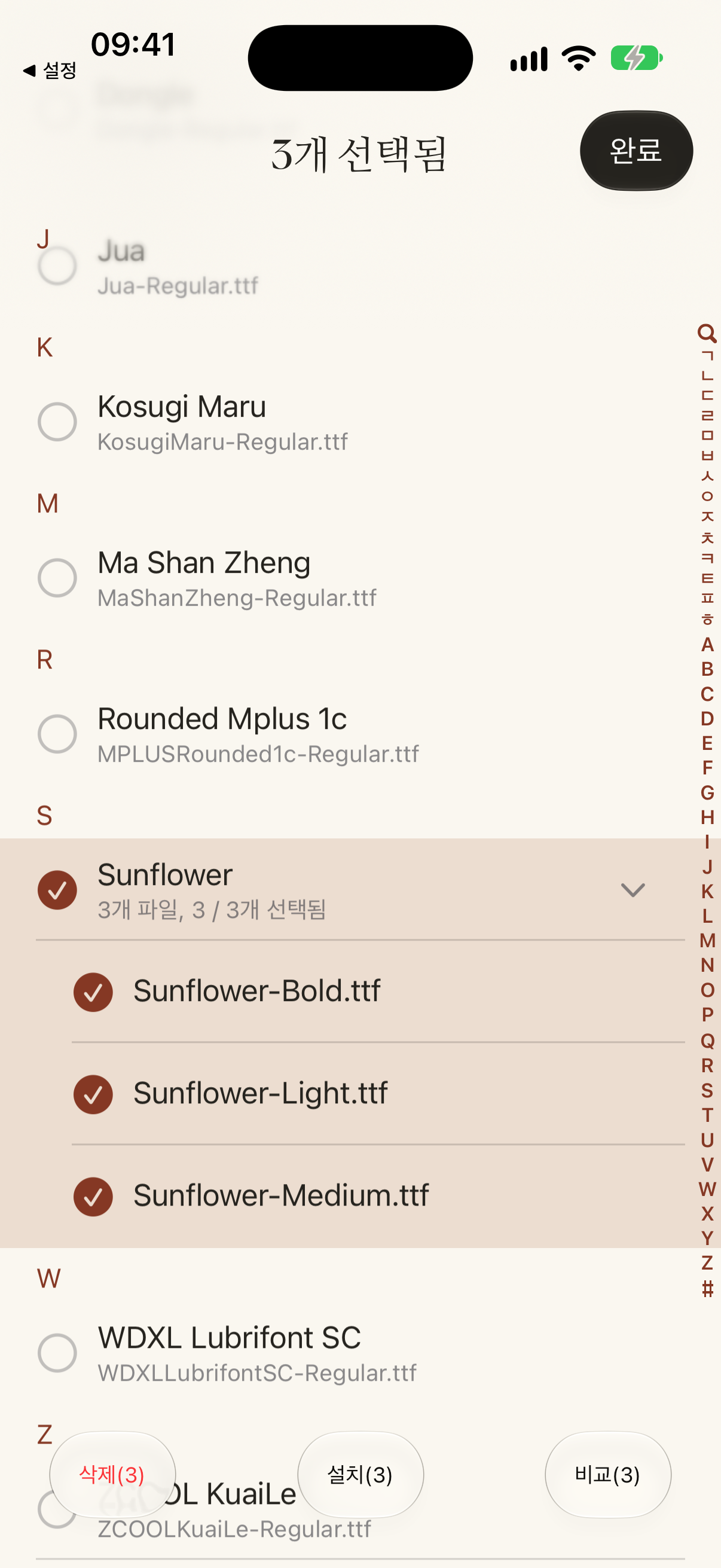
Screenshot
↓ PNG1206 × 2622 · de/font-selection.png
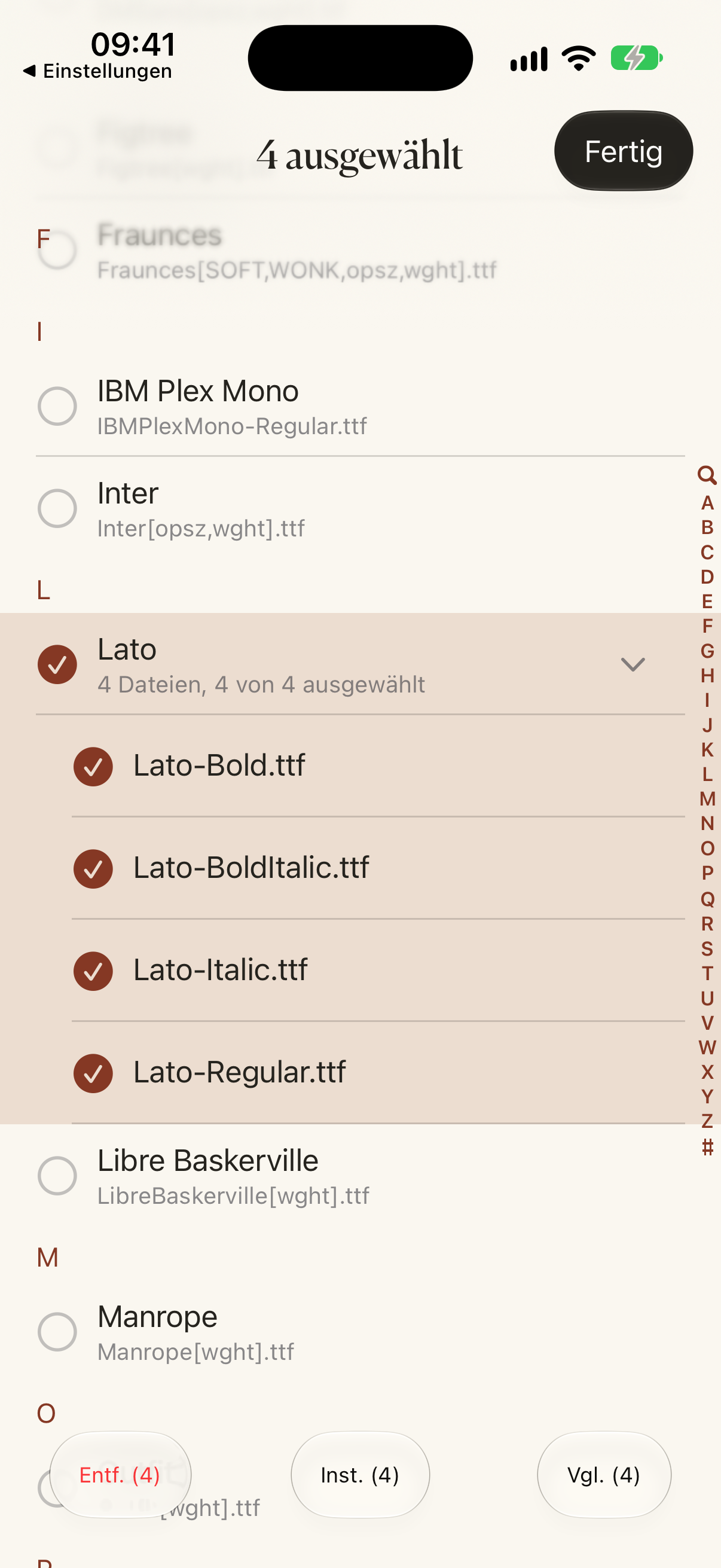
Native Vorschau der Oberfläche in dieser Sprache; unveränderte Pixel.
Bild für soziale Medien
↓ PNG1200 × 630 · social-card.png
Werbegrafik, kein App-Screenshot.
English
FondFont
Install your TTF, OTF and TTC files in the iOS font library. Import ZIP collections, finish installation in Settings and use your fonts in compatible apps such as Pages and Keynote.
Check your own text across different point sizes. Inspect character coverage, family, style and license information. Compare typefaces using the same sample text. Open your TTF, OTF, TTC, or ZIP files from where you already keep them. FondFont creates a profile on your device. Allow its download, then finish installation in Settings. Choose your installed fonts in compatible apps such as Pages, Keynote, Word and PowerPoint. FondFont creates profiles on your device. Your font files stay on your device. You do not need an account or subscription. FondFont installs fonts for compatible apps. It cannot change the iOS system font, keyboard font or Home Screen font. It cannot add font support to other apps.
App icon
↓ PNG1024 × 1024 · icon.png
Original native App icon, 1024 × 1024 PNG. Preserves the app’s artwork, proportions and transparency.
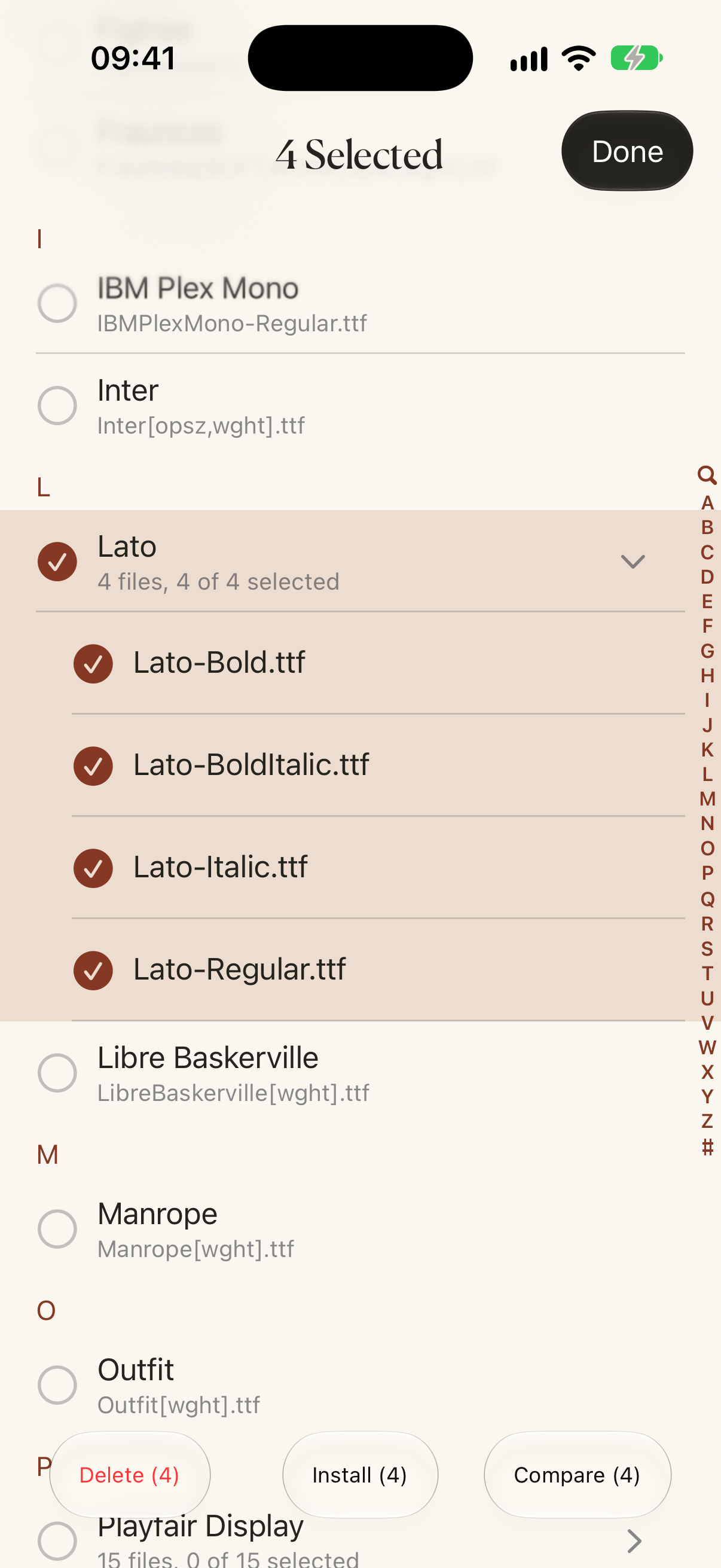
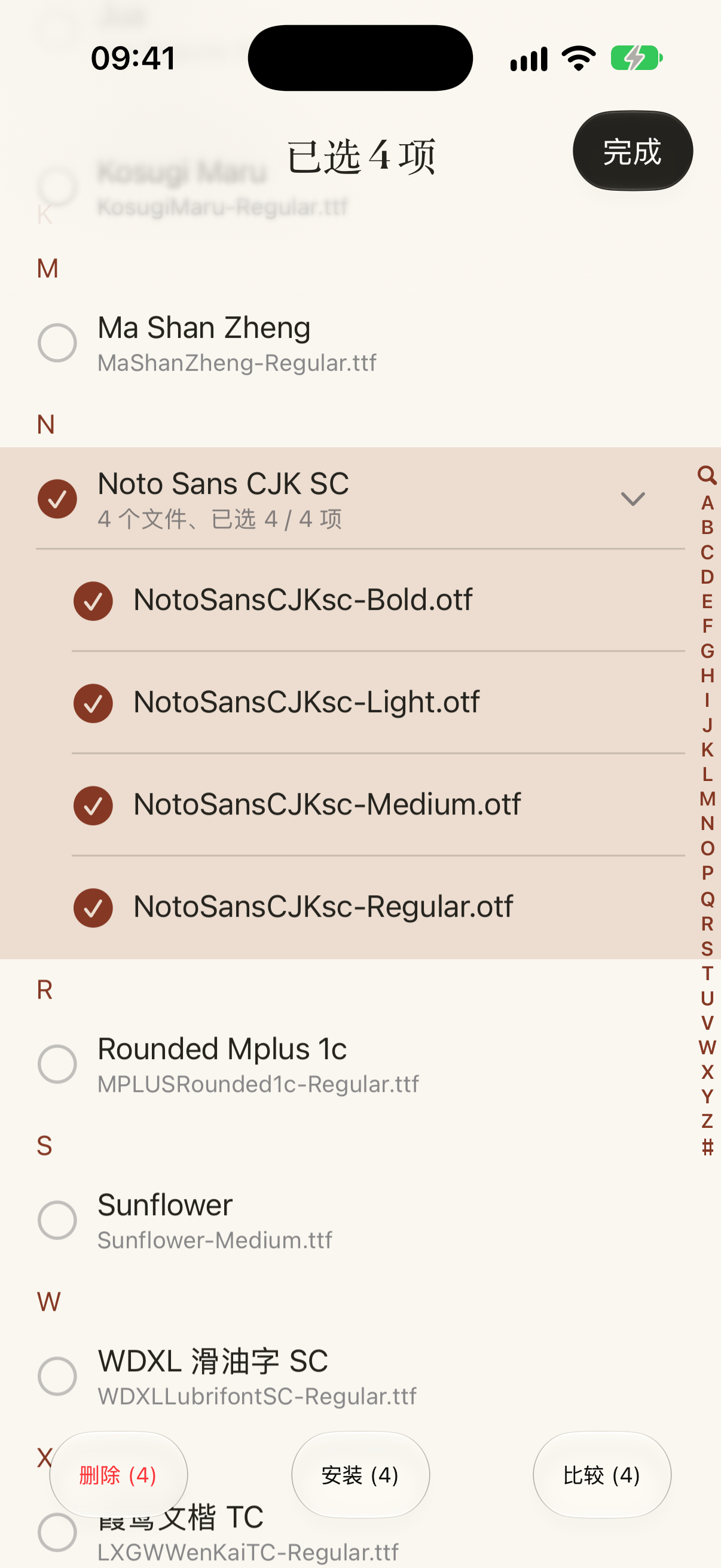
Screenshot
↓ PNG1206 × 2622 · en/font-selection.png
Original native capture from 2026-10-10, showing the current font-selection interface; no retouching. Font names shown in context do not grant rights to font files.
Social sharing image
↓ PNG1200 × 630 · social-card.png
Existing 1200 × 630 promotional artwork, not an app screenshot.
Français
FondFont
Installez vos fichiers TTF, OTF et TTC dans la bibliothèque de polices iOS. Importez des archives ZIP, terminez l’installation dans Réglages et utilisez vos polices dans les apps compatibles, comme Pages et Keynote.
Vérifiez votre texte à différentes tailles. Consultez les caractères disponibles, la famille, le style et la licence. Comparez les polices avec le même texte. Ouvrez vos fichiers TTF, OTF, TTC ou ZIP depuis leur emplacement habituel. FondFont crée un profil sur votre appareil. Autorisez son téléchargement, puis terminez l’installation dans Réglages. Choisissez vos polices dans les apps compatibles, comme Pages, Keynote, Word et PowerPoint. FondFont crée les profils sur votre appareil. Vos fichiers de polices restent sur votre appareil. Aucun compte ni abonnement n’est nécessaire. FondFont installe des polices pour les apps compatibles. Il ne modifie pas les polices du système iOS, du clavier ou de l’écran d’accueil. Il ne rend pas les autres apps compatibles avec les polices personnalisées.
Icône de l’app
↓ PNG1024 × 1024 · icon.png
Icône native originale, PNG 1024 × 1024. Dessin, proportions et transparence préservés.
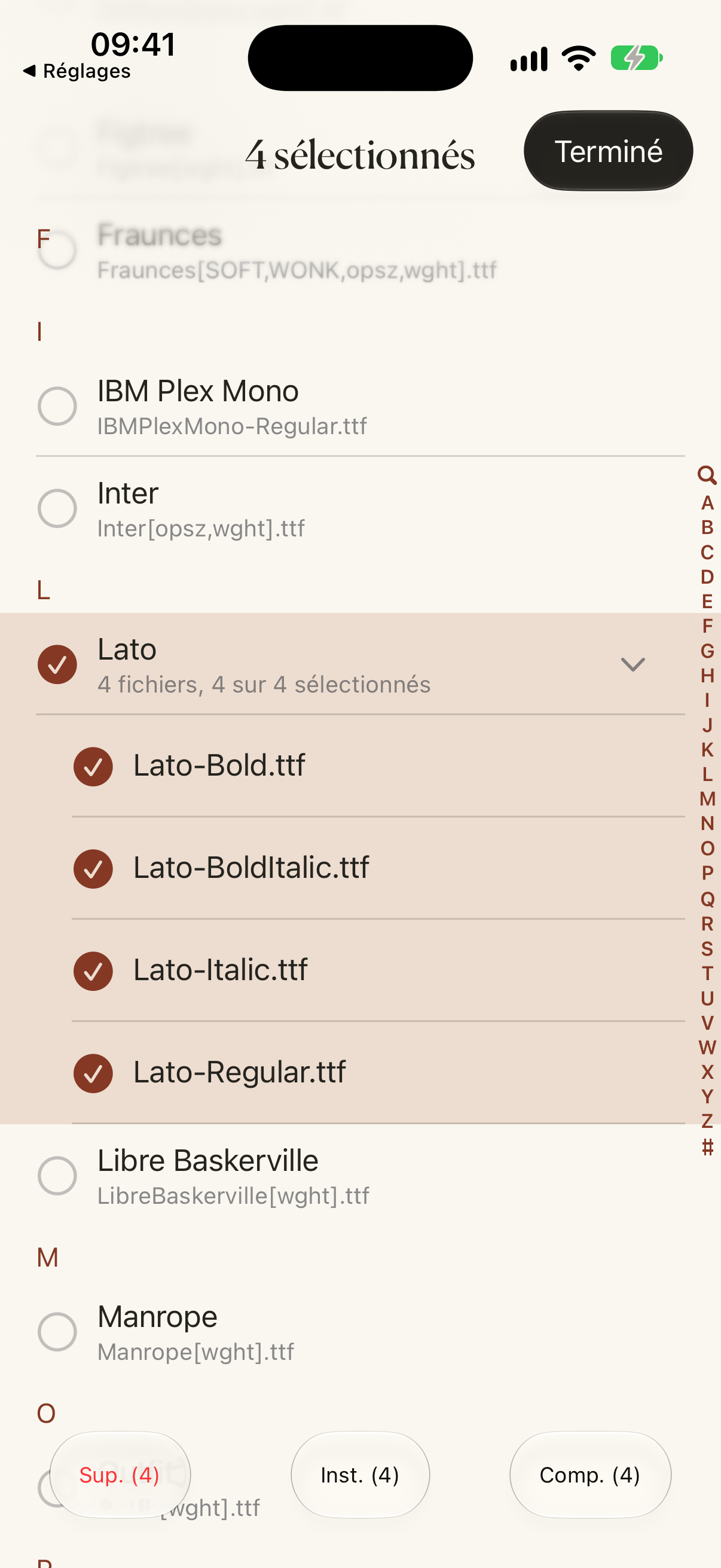
Capture d’écran
↓ PNG1206 × 2622 · fr/font-selection.png
Aperçu de l’interface native dans cette langue ; pixels inchangés.
Image pour les réseaux sociaux
↓ PNG1200 × 630 · social-card.png
Visuel promotionnel, pas une capture d’écran de l’app.
日本語
FondFont
手持ちの TTF、OTF、TTC ファイルを iOS フォントライブラリにインストール。ZIP の読み込みに対応し、設定でインストールを完了すると Pages や Keynote などの対応アプリで使えます。
自分の文章で、サイズごとの見え方を確認。 文字の収録範囲、ファミリー、スタイル、ライセンス情報を確認。 同じ文章を使って、書体を並べて比較。 いつもの保存先から TTF・OTF・TTC・ZIP ファイルを開きます。 端末上でプロファイルを生成。ダウンロードを許可し、「設定」でインストールを完了します。 Pages、Keynote、Word、PowerPoint など、iOS のフォントライブラリに対応するアプリで選びます。 プロファイルは端末上で生成します。フォントファイルはアップロードしません。アカウントもサブスクリプションも不要です。 対応アプリ用のフォントをインストールします。iOS のシステム、キーボード、ホーム画面のフォントは変更できません。他のアプリにカスタムフォントの対応機能を追加することもできません。
한국어
FondFont
가지고 있는 TTF, OTF, TTC 파일을 iOS 글꼴 라이브러리에 설치하세요. ZIP 가져오기를 지원하며, 설정에서 설치를 마치면 Pages와 Keynote 등 호환 앱에서 사용할 수 있습니다.
내 문구로 크기에 따른 폰트의 모습을 확인하세요. 문자 지원 범위, 패밀리, 스타일, 라이선스 정보를 확인하세요. 같은 문구로 여러 서체를 나란히 비교하세요. 평소 저장하는 곳에서 TTF, OTF, TTC 또는 ZIP 파일을 여세요. 기기에서 프로필을 생성합니다. 다운로드를 허용한 뒤 설정에서 설치를 완료하세요. Pages, Keynote, Word, PowerPoint 등 iOS 폰트 보관함을 지원하는 앱에서 설치한 폰트를 선택하세요. 프로필은 기기에서 생성합니다. 폰트 파일은 업로드하지 않습니다. 계정이나 구독은 필요하지 않습니다. 호환 앱용 폰트를 설치합니다. iOS 시스템, 키보드, 홈 화면 폰트는 변경할 수 없습니다. 다른 앱에 사용자 설정 폰트 지원 기능을 추가할 수도 없습니다.
简体中文
爱装字体 · FondFont
将自己的 TTF、OTF、TTC 字体安装到 iOS 字体库。支持导入 ZIP 字体包,在设置中完成安装后,可在 Pages、Keynote 等兼容 App 中使用。
用你的文字,查看字体在不同字号下的表现。 检查字符覆盖、字族、样式及授权信息。 同一段文字,直观比较不同字体。 从日常存放字体的位置,打开 TTF、OTF、TTC 或 ZIP 文件。 爱装字体在本机生成描述文件。允许下载后,前往「设置」完成安装。 在支持 iOS 字体库的 App 中选择已安装字体,例如 Pages、Keynote、Word 和 PowerPoint。 爱装字体在本机生成描述文件。字体文件不会上传。无需账号或订阅。 爱装字体为兼容 App 安装字体。它不能修改 iOS 系统字体、键盘字体或主屏幕字体。它不能让其他 App 获得自定义字体支持。
繁體中文
愛裝字體 · FondFont
將自己的 TTF、OTF、TTC 字型安裝到 iOS 字型庫。支援匯入 ZIP 字型包,在設定中完成安裝後,可在 Pages、Keynote 等相容 App 中使用。
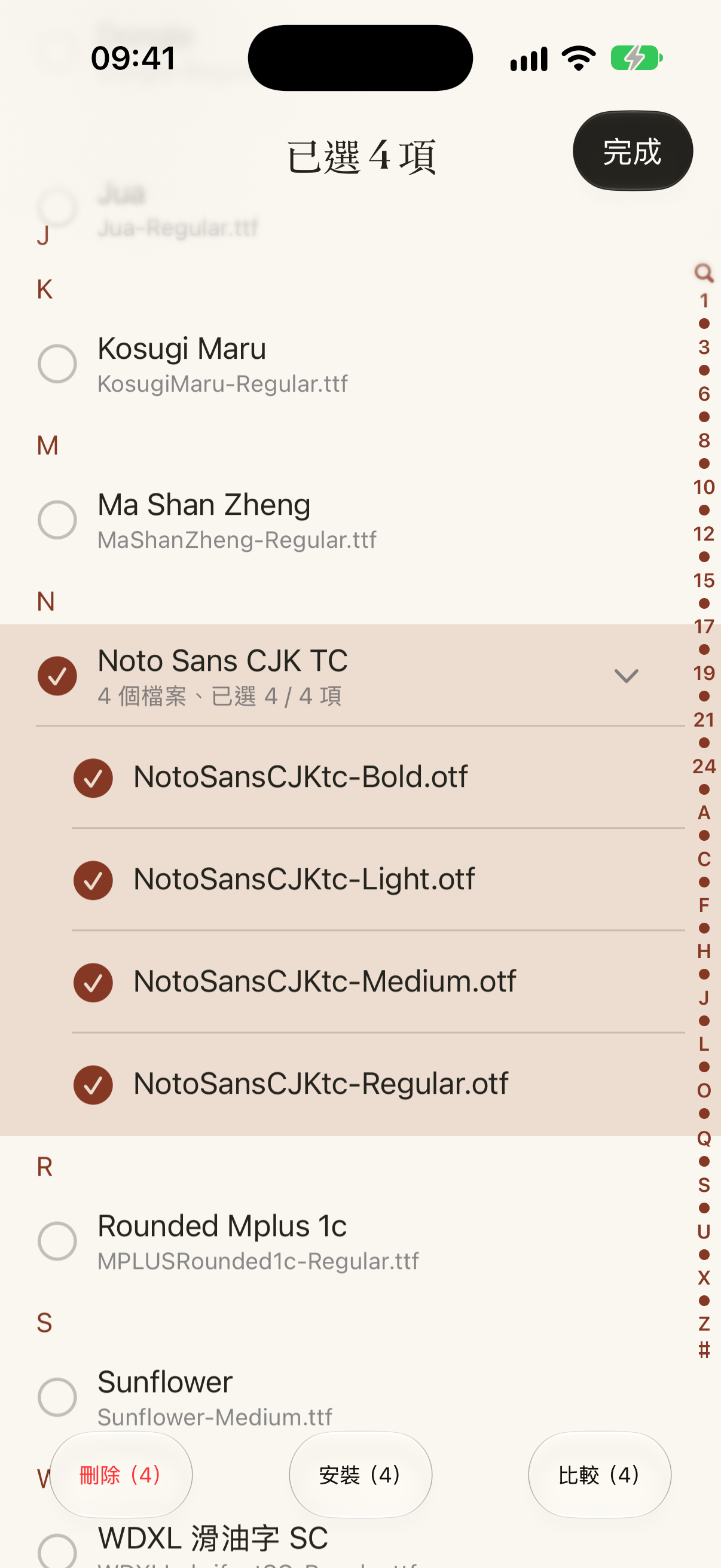
用你的文字,查看字體在不同字級下的表現。 檢查字元涵蓋範圍、字體系列、樣式與授權資訊。 用同一段文字,直觀比較不同字體。 從日常存放字體的位置,開啟 TTF、OTF、TTC 或 ZIP 檔案。 愛裝字體在裝置上產生描述檔。允許下載後,前往「設定」完成安裝。 在支援 iOS 字體庫的 App 中選擇已安裝字體,例如 Pages、Keynote、Word 和 PowerPoint。 愛裝字體在裝置上產生描述檔。字體檔案不會上傳。無需帳號或訂閱。 愛裝字體為相容 App 安裝字體。它不能修改 iOS 系統字體、鍵盤字體或主畫面字體。它不能讓其他 App 獲得自訂字體支援。